The state of the house
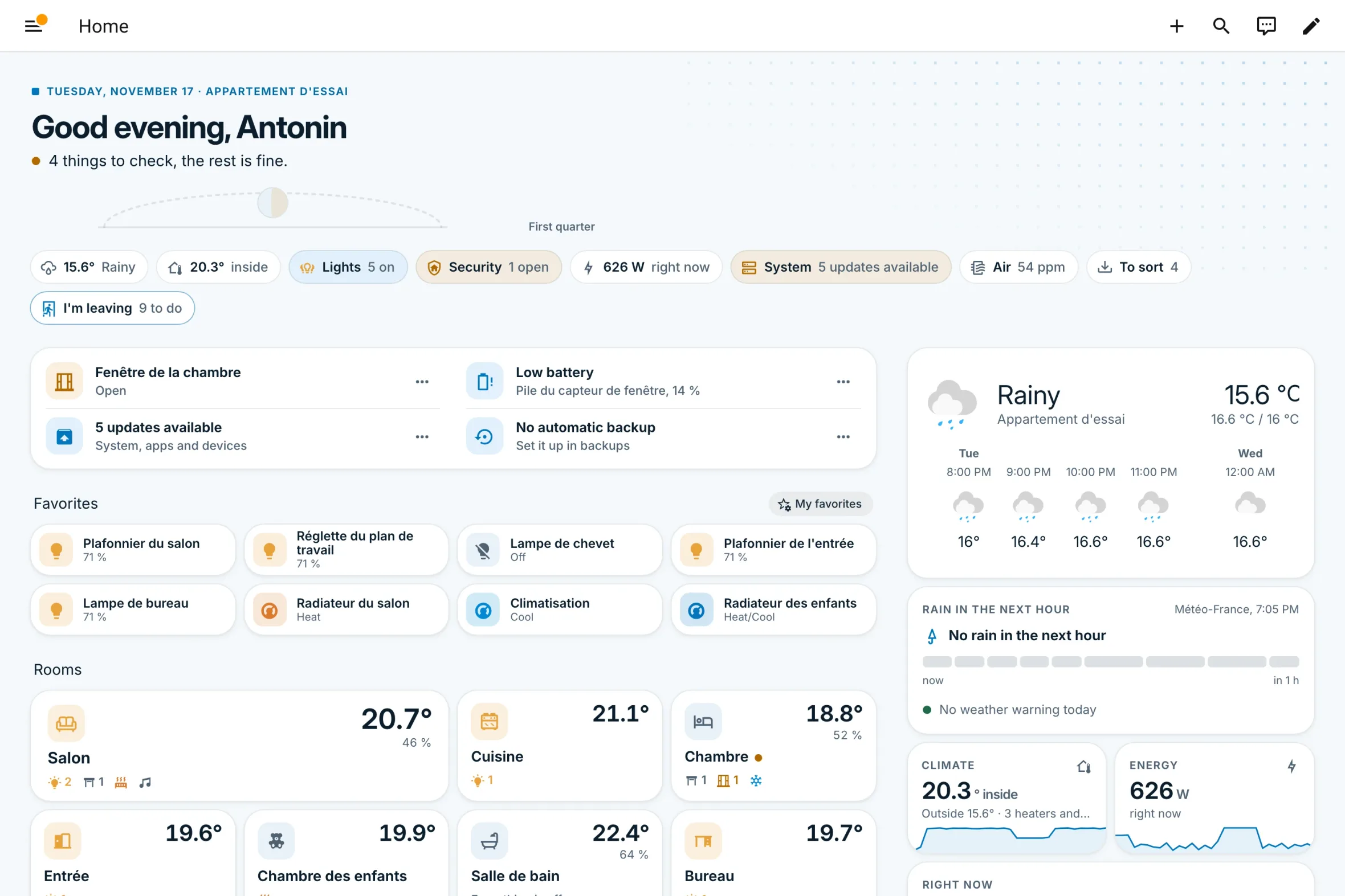
"Close the living room window: the heating is on." Advice rather than facts, security first when everyone has left, and any item can be ignored while it doesn't change.


For Home Assistant · free and open source
Automatic Dashboard reads the devices, areas and floors of your Home Assistant and turns them into a complete, polished dashboard. Nothing to write, nothing to configure: add a device, and the dashboard follows.


What it does
Each page answers its question before showing the details. And each card only appears when your home has something to fill it with.
"Close the living room window: the heating is on." Advice rather than facts, security first when everyone has left, and any item can be ignored while it doesn't change.
With Météo-France: "Light rain in 15 min", a minute-by-minute bar, and the weather warning for your area.

What is playing, who is home, the next appointment, the washing machine running, the shopping list.

Climate, energy, security, system: each opens on a big number and 24-hour curves.

Its temperature, its humidity, what is on, open or running, at a glance.

Each room on a bar from 14 to 28 °C: those drifting away from comfort come first.

Updates, backups, batteries, and network services (Glances, Uptime Kuma, AdGuard Home, Speedtest) when they are there.

Devices without an area: "Living room lamp" suggests "Living room?", set in one click. The dashboard learns to tidy the home.

Three densities
One visual identity for everyone, but a density chosen from your home. You can force it in the settings.
The weather shown large, each device shown large, and first steps that tick themselves off.

Things to check, favorites, rooms, climate and energy overviews.

Only the useful ones: rooms by floor, compact tiles, technical details tucked into System.

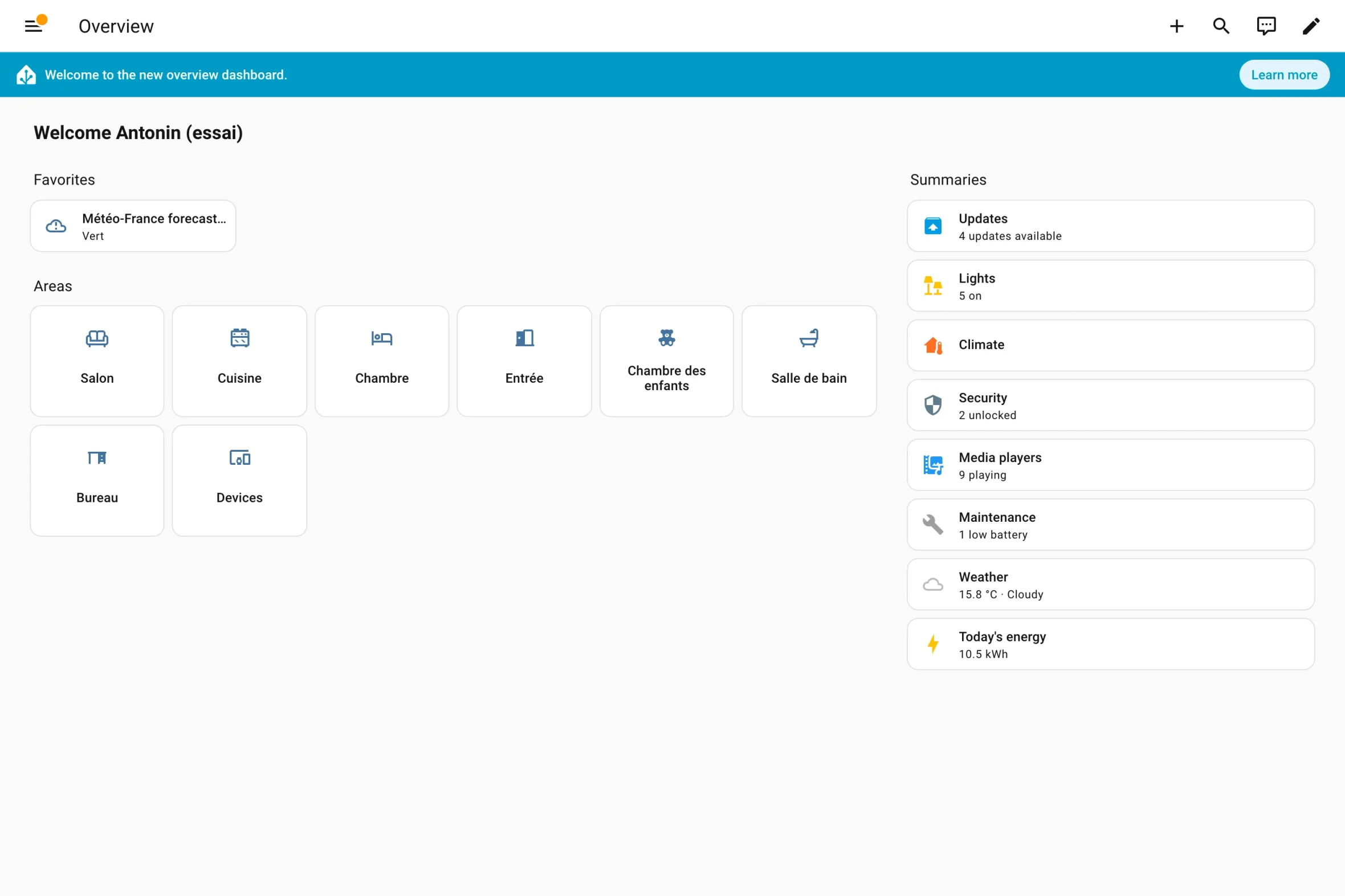
The same home
Home Assistant already generates an overview: areas and one-line summaries. Automatic Dashboard uses the same mechanics, and goes further. Drag to compare.
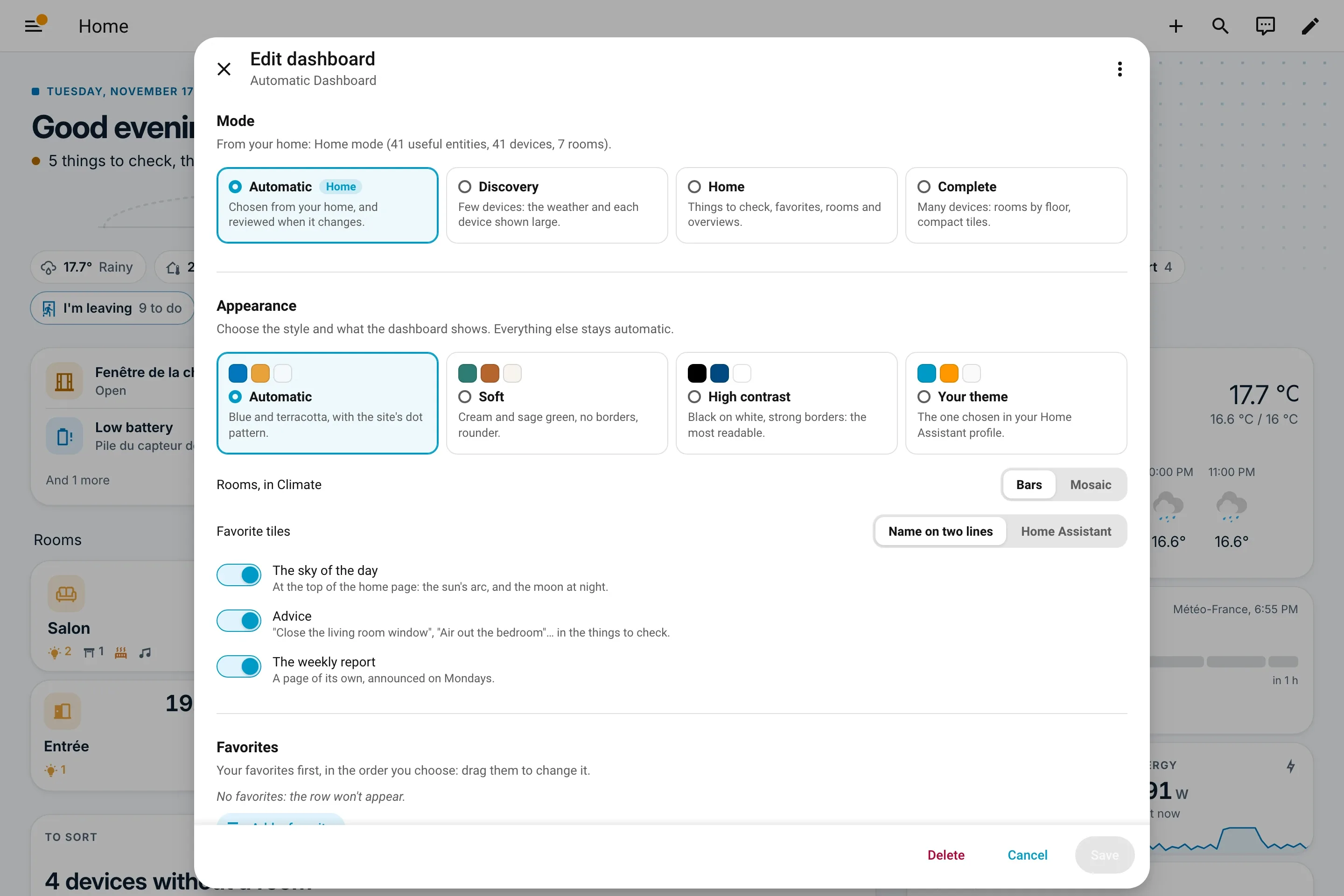
Your settings
The "Edit dashboard" pencil opens the Automatic Dashboard settings, without a single line of YAML.
Install
Settings, Marketplace, "Add from link", then Automatic-Dashboard/.
"Install" opens one screen, two boxes: create the dashboard, and make it everyone's if you like.
Add the integrationThe dashboard is created for you, in the sidebar. It's ready.
Open dashboardsThe buttons open the right page in your Home Assistant, through my.home-assistant.io. Before version 2026.11, installation goes through HACS: the step-by-step guide explains it all
A free project
No paid features, no "pro" version, nothing to unlock.
The dashboard reads what Home Assistant already knows, in your browser. It contacts no service.
Open code under the Apache 2.0 license; every home that reports a misplaced device improves the dashboard for everyone.
Automatic Dashboard was started by Antonin Chenavaz, who wanted to make the dashboard he built at home easy for everyone. The story and the principles